
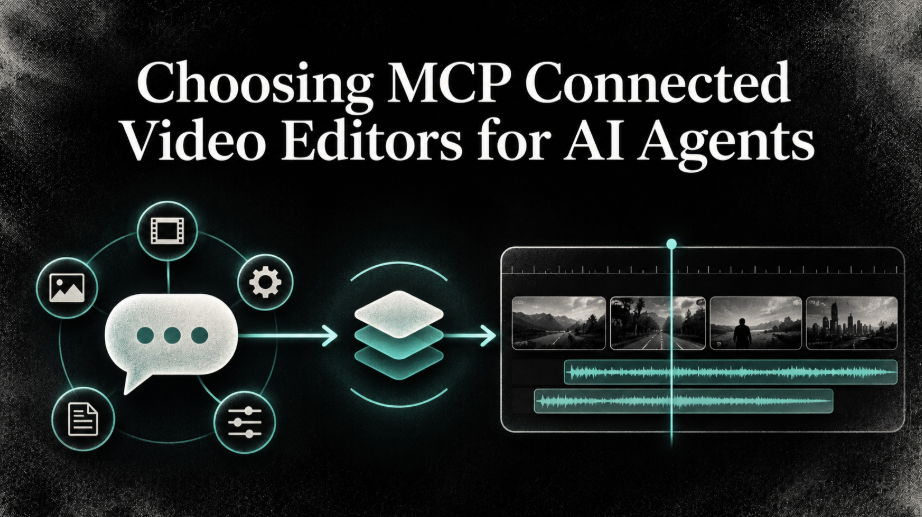
An AI agent can help plan an edit, but the result depends on the tools it can reach. Some MCP connections let an assistant change a visible editing timeline. Others focus on turning recordings into clips or assembling videos for repeated production. Those differences affect how much control you keep and what kind of work the agent can complete.
This comparison looks at five tools with official MCP access: invideo, Shotstack, Creatomate, reap, and Vizard Agent. It compares their editing approach, review options, use cases, and access costs. The goal is to help you match the connection to your footage and the result you need.
Which MCP video editor fits your workflow?
For an AI assistant working on a professional, editable timeline, invideo is the strongest fit in this group. Its MCP server connects assistants such as Claude, ChatGPT, Cursor, or other compatible clients to a browser editor where edits appear on a timeline. You can review or adjust the work yourself, and export a video or an editable project for other editors. Manual editing and ordinary MCP edits are free; AI agent work and media generation use invideo credits.
Shotstack suits structured compositions that need browser review and cloud rendering. Creatomate is geared toward repeatable, data-driven video production. Reap specializes in clipping and adapting long recordings. Vizard Agent takes a broader request and works toward a finished video in its project workflow. These are different kinds of editing, so choose based on the starting material and how much timeline control you need.
How we evaluated these tools
The comparison uses current official product, MCP, and pricing pages. It considers the editing surface, how the assistant handles source material, whether people can review or revise the result, what output is produced, and how access is priced. This is a product-page comparison, not a matched hands-on test.
At a glance
| Tool | MCP workflow | Useful fit | Access and cost |
| Invideo | Assistant edits a visible timeline | Footage editing and manual refinement | Manual and ordinary MCP edits are free; agent work and generation use credits |
| Shotstack | Agent builds an edit for Studio review and rendering | Repeatable, structured videos | 10 free credits; paid rendering plans |
| Creatomate | Assistant manages projects and renders | Automated production from reusable designs | 50-credit trial; plans use monthly credit allowances |
| reap | Agent clips, captions, and reframes recordings | Social clips and localization | Free plan with limits; paid MCP access |
| Vizard Agent | Agent manages a project through to a finished video | End-to-end video creation and editing requests | Free credits; paid plans add credits and agent tiers |
1. Invideo
Invideo Editor connects an external AI assistant to a browser-based editor with a professional timeline. The agent can work on cuts, color, audio, captions, and generated media, while you see the edits appear and can continue refining the same project. It is a good fit when you want to delegate editing work but keep access to individual timeline decisions. Claude, ChatGPT, Cursor, and other suitable clients are supported by the MCP server.
You can also export a rendered video or an editable project for Premiere Pro, Final Cut Pro, or DaVinci Resolve. With invideo’s editor over MCP, you can ask a compatible assistant to edit on the timeline. Manual editing and MCP edits are free; the built-in invideo Agent and AI media generation use credits.
Best for: Editors and creators who want agent assistance on an editable timeline, with hands-on control available throughout.
2. Shotstack
Shotstack’s MCP server lets an assistant create a video composition, preview it in Studio, and request cloud rendering. Its editing model is based on structured edits shared between its API and browser editor. That makes it suitable for teams producing repeatable videos from supplied media or changing data. The agent can also work with generated media and motion elements.
The workflow is oriented toward building and rendering compositions, rather than reviewing hours of raw footage to choose takes. The free tier includes 10 credits. Paid options include a $10 pay as you go purchase for 50 render minutes and monthly plans starting at $39, with generation charged according to the model used.
Best for: Developers and production teams who want an agent to assemble structured videos that people can inspect in Studio before rendering.
3. Creatomate
Creatomate’s hosted MCP server connects an assistant to a Creatomate project. The assistant can browse existing designs, create or refine them, and find render results. It is aimed at producing videos and images through an online editor and API, with designs that can support automated production.
This makes Creatomate useful when video output follows a repeatable structure, such as product updates or personalized campaign content. Its MCP workflow is centered on project designs and renders, rather than a general footage review and editing process. New users can try 50 credits without a credit card; paid plans provide monthly usage allowances. Check the pricing page for current plan amounts.
Best for: Small teams and developers automating recurring videos from structured content.
4. reap
reap connects MCP clients to a workflow for finding moments in long recordings and turning them into short clips. Its assistant can help with clipping, captions, reframing, dubbing, and publishing. Users can also refine clips in reap’s text based editor, where transcript changes affect the video.
It is a specialist option for interviews, webinars, and other long recordings that need versions for social channels. It is not intended to replace a broad multitrack editing workflow. The free plan includes up to one hour of monthly clipping and captioning, with watermarked 720p exports. Paid plans include MCP access; annual Creator billing is listed at $9.99 per month.
Best for: Creators and marketers who mainly need short, captioned, reframed clips from existing videos.
5. Vizard Agent
Vizard Agent connects to compatible clients through an official MCP server. You describe the video you want, and the assistant creates a project, sends the editor your source materials and instructions, tracks its progress, and returns a project link when the video is ready. If the editor needs a decision, it can ask you through the assistant.
This workflow is suited to requests where the goal is a finished video, such as a promo or a social clip. It differs from a direct timeline editing connection because the agent manages a project process and returns the result for review. The pricing page lists a free tier with 60 credits and paid Creator access beginning at 600 credits; the current price should be checked on the plan page.
Best for: Users who want an agent to manage a video request through project completion and review.
How to choose the right tool
Start by identifying the type of source material you have and the desired outcome:
- Choose invideo if you need a flexible timeline, want to see agent edits as they happen, or expect to refine footage manually.
- Choose Shotstack or Creatomate if you are building structured videos for repeated production or automation.
- Choose reap if the main job is to find and publish short clips from longer recordings.
- Choose Vizard Agent if you want to hand an assistant a complete video task and review the resulting project.
For distributed creative work, pair the editing connection with clear file names, version notes, and timestamped feedback. Those habits also appear in collaboration for remote software teams.
Common mistakes to avoid
- Assuming every MCP connection offers the same editing controls.
- Choosing a clip maker when you need detailed timeline refinement.
- Comparing free access without checking watermarks, credits, resolution, or monthly limits.
- Treating an agent’s first result as final. Review the footage, captions, sound, and export before publishing.
FAQs
What is an MCP video editor?
It is an editor or video production service that an MCP-compatible assistant can access through a server connection. The available actions depend on the product. Some edit timelines, while others create clips, manage projects, or render compositions.
Does MCP mean the AI edits everything automatically?
No. MCP gives an assistant access to tools. The product determines which actions are available, and the assistant may still need direction or review. Check how the specific service handles revisions and approval.
Can I keep editing after the agent finishes?
That depends on the tool. Invideo and Shotstack provide browser editing surfaces for review and changes. Other workflows may focus more on delivering clips or a finished project.
Which option works best for short social clips?
Reap is focused on clipping, captions, reframing, and distribution from longer videos. Vizard Agent can also handle requests for social videos, while invideo offers a broader timeline workflow.
Are MCP video editors free?
Some offer free access or trial credits, but limits differ. Invideo’s manual and ordinary MCP editing are free, while agent work and media generation use credits. Other products may limit rendering, exports, resolution, or monthly processing.
Final thoughts
The right MCP connection depends on whether you need an editable timeline, a repeatable production system, or quick clips from existing recordings. Compare the actual output and cost rules before connecting an agent. Which part of your video workflow would you want an AI assistant to handle first?

 Elena P. writes the kind of tech news and innovations content that people actually send to each other. Not because it's flashy or controversial, but because it's the sort of thing where you read it and immediately think of three people who need to see it. Elena has a talent for identifying the questions that a lot of people have but haven't quite figured out how to articulate yet — and then answering them properly.
They covers a lot of ground: Tech News and Innovations, Emerging Technology Trends, Practical Software Tips, and plenty of adjacent territory that doesn't always get treated with the same seriousness. The consistency across all of it is a certain kind of respect for the reader. Elena doesn't assume people are stupid, and they doesn't assume they know everything either. They writes for someone who is genuinely trying to figure something out — because that's usually who's actually reading. That assumption shapes everything from how they structures an explanation to how much background they includes before getting to the point.
Beyond the practical stuff, there's something in Elena's writing that reflects a real investment in the subject — not performed enthusiasm, but the kind of sustained interest that produces insight over time. They has been paying attention to tech news and innovations long enough that they notices things a more casual observer would miss. That depth shows up in the work in ways that are hard to fake.